At KWIZ, we help businesses increase overall productivity by expanding their present capabilities of Microsoft SharePoint, by simplifying workflows and maximizing efficiency.
2
Expand your reach by creating business process solutions with KWIZ Forms, Data Visualization and Content Management. Our professional services team can help your business move to the next level.
3
KWIZ ensures 100% secure client-side add-on, meaning that none of your private data is ever sent to the vendor’s cloud server, and preserves your important documents and files safe from exposure.
kwiz tools
Explore Products That Will Transform Your Business
KWIZ Forms
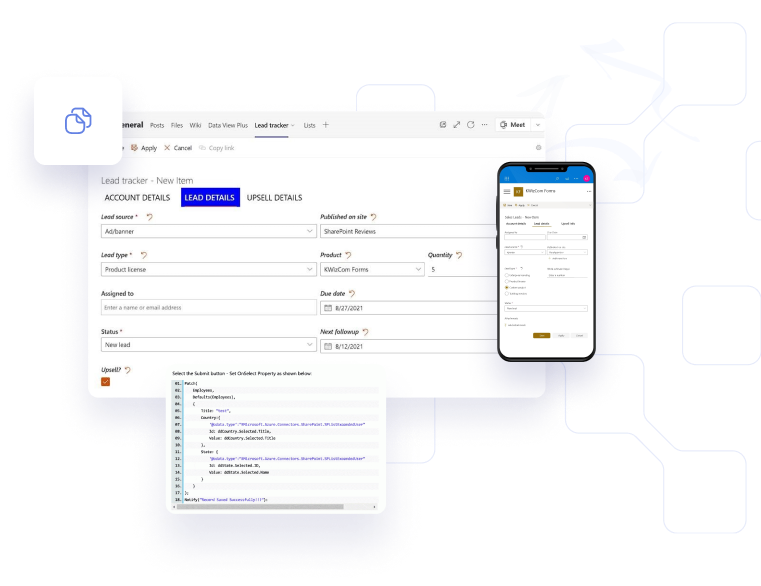
KWIZ Forms allow users to create custom forms in SharePoint Online/2019, and Microsoft Teams by enhancing existing list forms. The best part is that users do not require complex designer or tech skills to reach their full potential with the tool.
Data View is a super-flexible solution for retrieving and displaying various data source types in modern, responsive and fully customizable UI display types.
How Kwiz is making SharePoint even better for more than 10,000 organizations worldwide.
“With KWizCom’s help, we have been able to save a tremendous amount of our people’s time, become more organized and productive, and of course be more responsive to our markets”
KWizCom’s Professional Services
- Project Manager at Tristar
“We needed to create a custom SharePoint calendar with additional custom fields and cascade them into sub-events. (Like topics in a plan, where users can attend only specific issues, not the entire event). KWIZ’s Cascading Lookup add-on was able to accomplish this with minimal effort from the Barnard team, who concentrated on customizing the data structure supporting the KWIZ’s web part.”
- VP of Information Technology at Barnard College
KWIZ’s Cascading Lookup
“KWIZ Forms was a far more cost-effective approach to building electronic forms than custom development, InfoPath, or Excel Surveys. From a support perspective, our clients are much happier to maintain electronic forms themselves using an easy-to-understand package such as KWIZ Forms rather than facing a long learning journey to become familiar with forms development via code”.
SharePoint Practice Lead at Inspired Software
KWIZ Forms
“KWIZ Forms and other add-ons made it possible for us to improve our collaboration and efficiency further and simultaneously increased our level of privacy.”
Director of Technology at Christ the Redeemer Catholic Schools
KWIZ Forms
SharePoint and Microsoft 365
The road to automation starts here
KWIZ’s ultimate goal is to enable all our customers to reach their full business potential on the Microsoft platform by gaining the ability to build digital workflows and process apps rapidly, with agility and even more accuracy. We facilitate connectivity to enterprise systems, while driving results across your organization with next generation automation capabilities.
We use cookies to ensure that we give you the best experience on our website. If you continue to use this site we will assume that you are happy with it.Ok